Credits are the internal currency of Profiles.fit. You earn them by selling your classes in the marketplace and they're applied automatically as a discount on your subscription renewal. They're not cash — you can't withdraw them — but they reduce the cost of your monthly, quarterly, semi-annual or yearly plan.
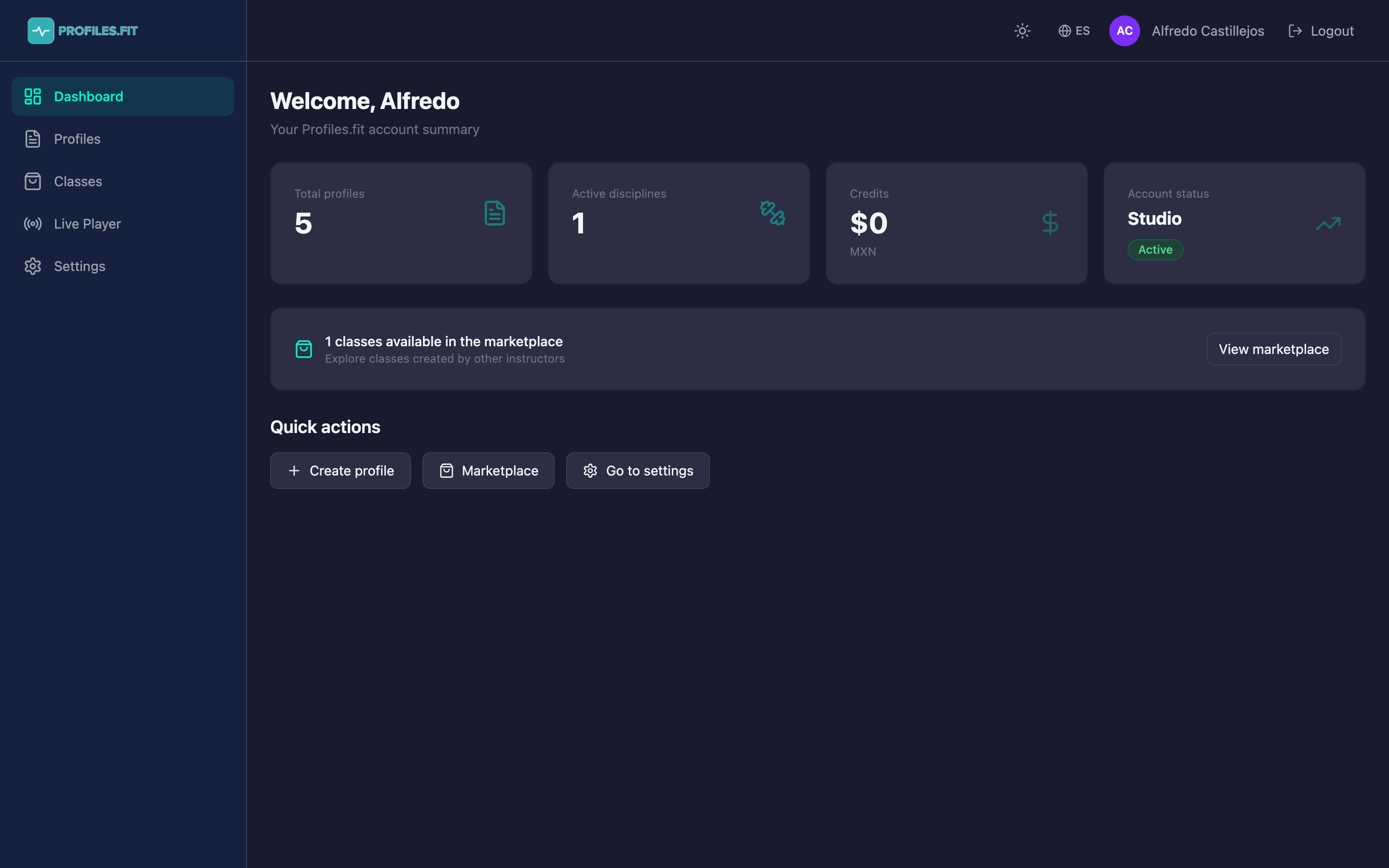
Where to see your balance
- Dashboard: the third card of the top summary shows the total in your local currency (MXN, USD, EUR, etc.).
- Settings → Billing → My credits: detailed balance and full transaction history.
- "How to earn credits?" modal in the same section: explains the sources of credits and the application rules.
How to earn them
Today credits come from a single source: marketplace sales.
- You publish a validated profile in the marketplace.
- Another instructor buys it via Stripe.
- As soon as Stripe confirms the payment, the corresponding amount is credited to your balance.
- The transaction appears as Income in the history, with the sold profile name and date.
The per-sale amount is configured by the platform (currently default $25 MXN or its equivalent in other currencies). You see it when publishing a profile before confirming.
How they get applied on renewal
- When your billing cycle is about to renew (monthly, quarterly, etc.), Stripe prepares the invoice.
- If you have accumulated credits, Profiles.fit creates a one-time coupon in Stripe for your credit amount.
- The coupon is applied at checkout automatically — you see the discount on the invoice.
- Your credit balance is reduced by that amount. If you had more credits than the plan cost, the excess stays for next renewal.
Credits don't expire
You can accumulate credits over months without them expiring. They're
only consumed when you pay a renewal. If you never renew (e.g. you
cancel your plan), the credits stay in your account in case you come
back.
Numeric example
Say your Advanced plan in Mexico costs $499 MXN/month and each marketplace sale gives you $25 MXN in credits.
- You sell 10 classes during the month → $250 MXN in credits earned.
- On renewal, a $250 coupon is applied.
- You only pay $249 MXN that month instead of $499.
- If you sell 20 classes ($500), you cover the full renewal with $1 left for next month.
Transaction history
In Billing → My credits you see the complete list:
- Income (green): profile sales to the marketplace.
- Deductions (red): credit applications on Stripe renewals.
- Date, amount, related profile and transaction reference.
FAQ
- Can I withdraw credits as cash? No. They're exclusively for discounts on renewals within Profiles.fit.
- Can I transfer them to another account? Not yet. They're tied to the account that generated the sale.
- What happens if I cancel my plan and come back later? Credits are preserved. On reactivation they apply to the next invoice.
- Do credits apply to plan upgrades? Yes — if you switch from Instructor to Advanced, proration considers your available credits.
- Are receipts issued with tax? Receipts are issued by Stripe for the final amount (credits already deducted). Check with your accountant about the fiscal treatment of the discount.