Assigning music from Spotify is the most common flow for building classes. Every new segment gives you three ways to find the right track: by musical genre, by free text search, or using your liked songs and recent plays.
Before you start
To assign Spotify tracks you need your account connected (Settings → Preferences → Spotify). Searching works with any plan, but Live Player playback requires a Premium account.
Mode 1: By genre
- When you add a segment, the default mode is By genre.
- Pick a genre from the dropdown (the ones you have selected in Preferences).
- Optionally, indicate an approximate BPM range: "around 140" or "130-145".
- The editor searches songs across each selected genre in parallel and shows suggestions filtered by duration (close to the segment duration you set).
- Each suggestion shows its genre with a badge, detected BPM, and duration.
- Click the play button to preview (30s) or the + button to assign it to the segment.
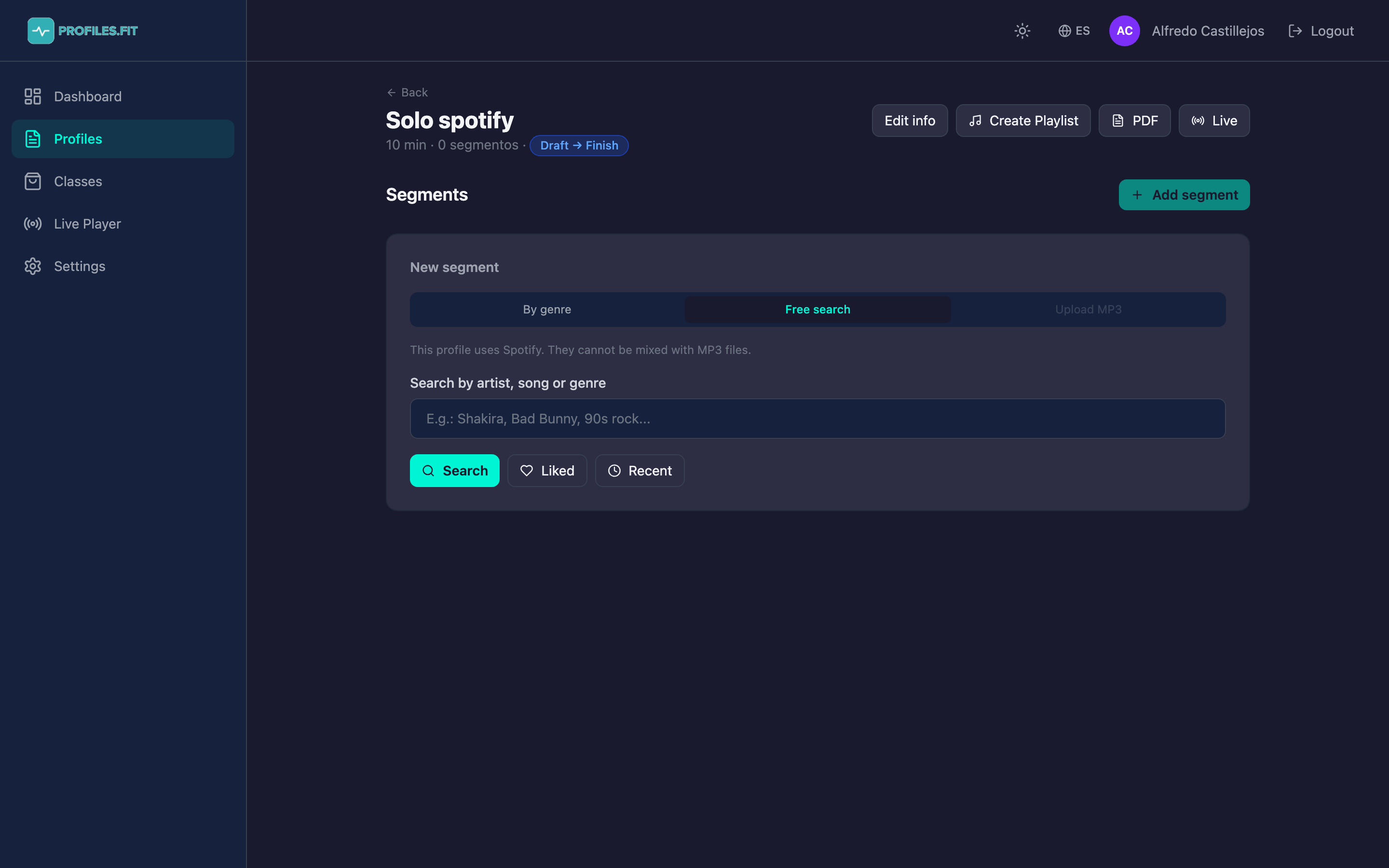
Mode 2: Free search
- Click the Free search tab.
- Type in the field: artist, song, album or any combination. Examples: "Bad Bunny Titi", "Shakira Hips", "Daddy Yankee Gasolina".
- Press Search. Spotify is queried directly using client credentials (your personal OAuth token isn't needed).
- The list shows the first 8-10 results. Assign whichever you want with the + button.
Mode 3: Liked songs and recent plays
Inside Free search mode there are two extra buttons:
- Liked: shows your songs marked as favorites in Spotify. Requires Spotify Premium or Free with library permission.
- Recent: the last songs you listened to on any Spotify-connected device.
Both are super useful for building classes with music you already know you like, instead of searching blind.
Assigning music to segments without a track
If you already have a profile with segments but no assigned song (e.g. you built the structure and saved the music for later), each trackless segment shows an Assign music button. Clicking it opens a quick text mini-search, ideal for filling gaps without going through the full create-segment flow.
Creating the playlist in your Spotify
- From the profile editor, click Create Playlist at the top right.
- Profiles.fit creates a playlist in your Spotify account with the profile's name.
- All of the profile's tracks are added in order.
- If a playlist with the same name already exists, it's updated instead of duplicated.