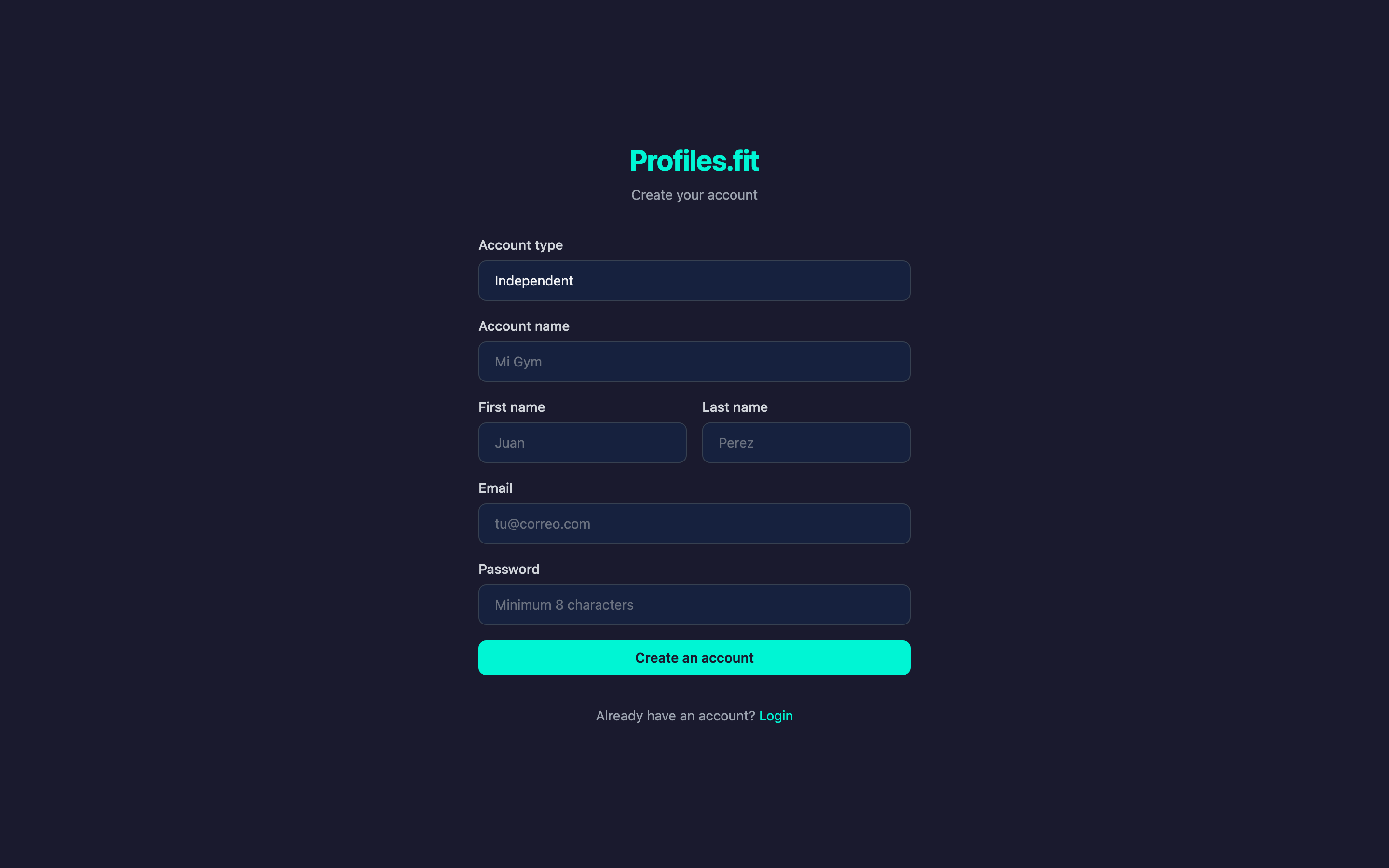
To get started you need a free account. Signup takes less than a minute and doesn't ask for a credit card — your 14-day trial starts the moment you confirm your email.
Signup steps
- Open profiles.fit and click the Sign up button in the header or in the pricing block.
- Fill in the form with your name, email and a strong password.
- Accept the terms and click Create account.
- Check your inbox: an email will arrive from
contact@profiles.fitwith a verification code or link. - Enter the code (or click the link) to activate your account.
Email didn't arrive?
Check your spam or promotions folder. If the
profiles.fit domain isn't in your contacts, the first email may
land there. After confirming, add it to your safe senders list.
Activating the trial
As soon as you verify your account you're taken to the dashboard with 14 active trial days. A badge in the top corner shows how many days you have left. Nothing is charged until you subscribe from Settings → Billing.
Already have an account but didn't verify the email?
- Go back to the login screen and click Resend verification.
- Enter your email and wait for the new message (it may take a few seconds).
- Use the most recent code — previous ones are invalidated automatically.
Once your account is active, move on to the next step: logging in.