If your music isn't on Spotify (your own mixes, extended edits, DJ tracks, or custom re-records), you can upload MP3 files directly to Profiles.fit. The file is saved to secure storage and you can play it in Live Player just like a Spotify song.
Requirements
- Format MP3 (WAV, AAC, FLAC not supported yet).
- Maximum 150 MB per file.
- ID3 tags (title, artist, BPM) are read automatically if present.
How to upload your first MP3
- In the profile editor, click + Add segment.
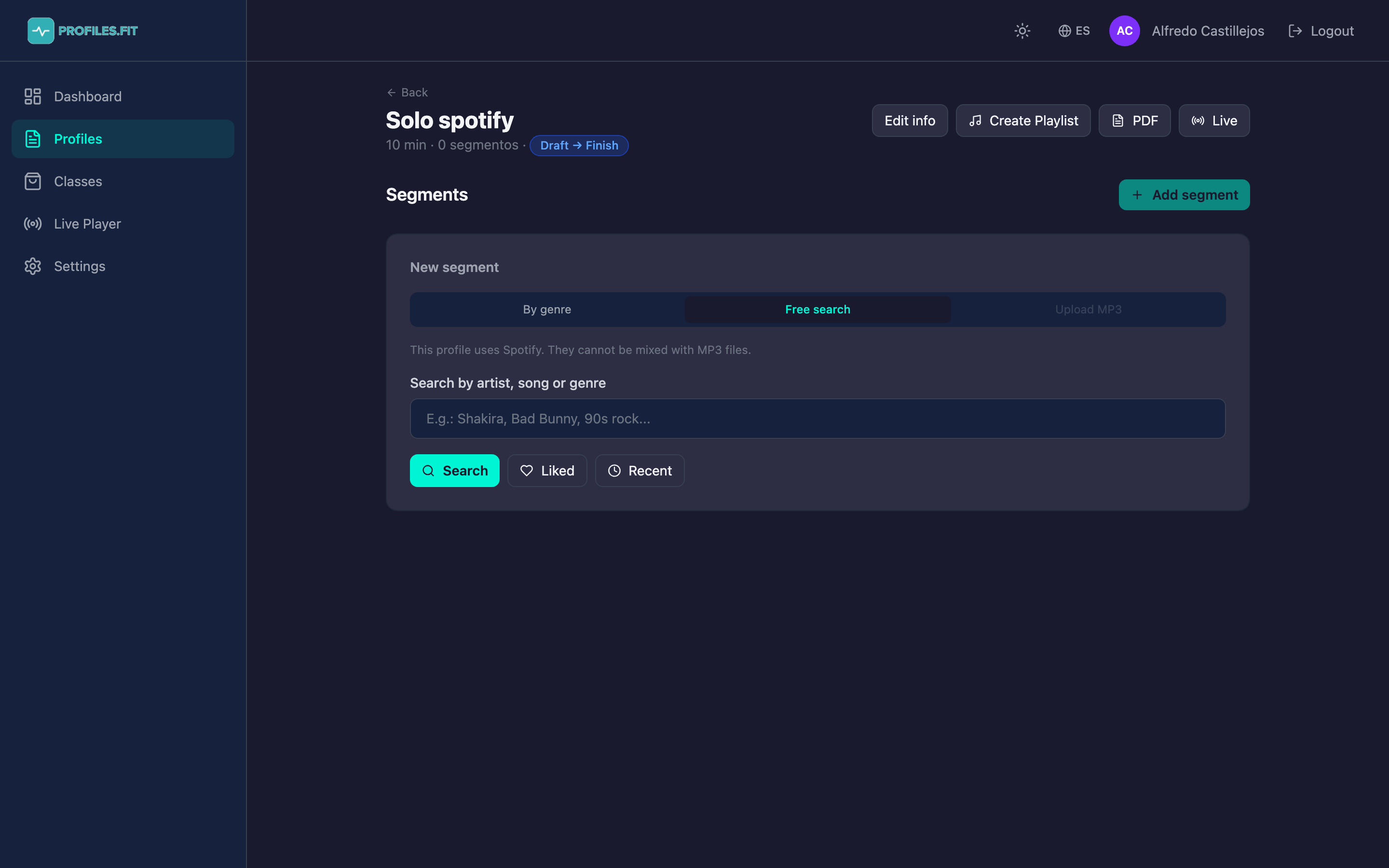
- In the new segment panel, click the Upload MP3 tab.
- Click the file picker button and choose an MP3 from your computer.
- Wait a few seconds while the file uploads to S3 via a presigned URL and the Web Audio API analyzes duration and BPM in the browser.
- The track appears with its waveform and detected BPM. If BPM wasn't detected, you can type it manually.
- Continue filling the segment fields (movement, zone, cadence) and save.
You can't mix Spotify and MP3 in the same profile
If your first segment uses a Spotify track, the "Upload MP3" tab is
disabled for the rest of the profile. The reverse is also
true: if you upload an MP3 first, you can't assign Spotify tracks.
This is so the Live Player knows which playback engine to use. If you
need to mix, create two separate profiles.
Automatic BPM analysis
Profiles.fit detects BPM on your MP3s using autocorrelation in the browser. It works well with electronic music, hip-hop and pop, and less well with acoustic. If the detected BPM looks wrong:
- Overwrite it manually in the BPM field (above the waveform).
- Use an external service like beatsperminuteonline.com for manual tapping and copy the number.
- If your MP3 has BPM in the ID3 tag, that value is used automatically.
Interactive waveform
The editor draws the MP3 waveform in real time. You can:
- Use the +/- buttons to zoom up to 8x.
- See sub-segment dividers overlaid if you create them.
- Click anywhere on the waveform in Live Player to seek to that second.
Storage management
- MP3s are stored in an S3 bucket under the
tracks/prefix. - To play them back, Profiles.fit generates 1-hour presigned URLs on demand.
- Deleting a segment or track orphans the MP3 in S3. We clean those up periodically.
- You can reuse the same MP3 across profiles — if we detect a matching hash, it won't upload twice.
Quality over speed
Upload MP3s at 192 kbps or higher. 128 kbps sounds OK on headphones but
you can hear compression on gym speakers. If you're producing your own
tracks, export at 320 kbps.