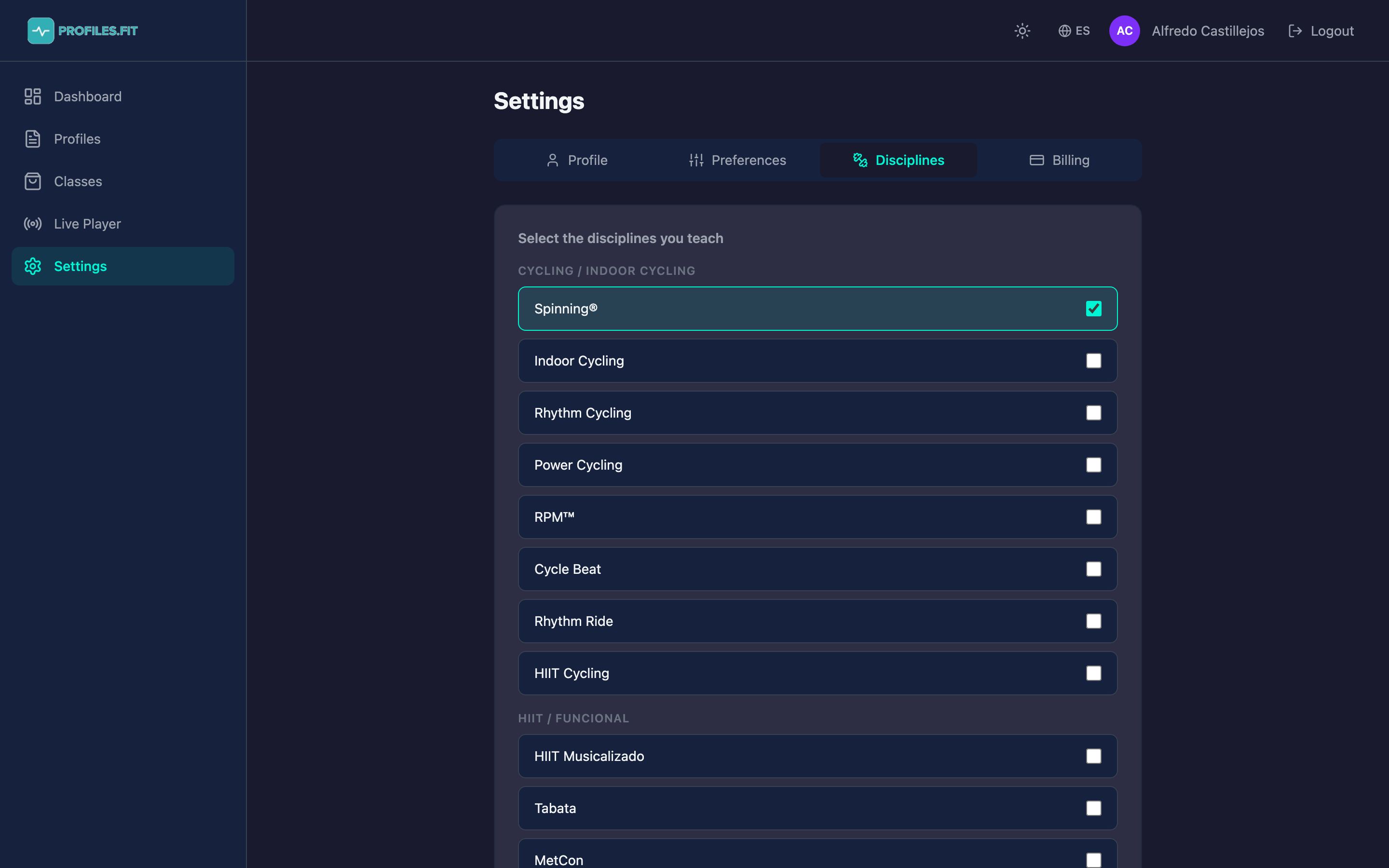
Profiles.fit supports 83 disciplines grouped in 15 categories (cycling, HIIT, combat, dance, strength, yoga, wellness, etc.). Instead of dumping all of them on you, you pick the ones you actually teach so the rest of the admin filters down to what matters.
Why choosing your disciplines matters
Each discipline ships with its own internal matrix: valid movements, allowed energy zones, typical cadences, hand positions, and the rules connecting all of that. When you enable a discipline the segment editor only shows you the fields relevant to it.
Example: in Spinning® you see cadence (RPM), hand position (1/2/3), resistance and terrain. In HIIT you see reps, sets, intensity and rest. Keeping only what you use prevents visual noise.
Enabling and disabling disciplines
- Go to Settings → Disciplines.
- You'll see every discipline grouped by category.
- Click the checkbox of each discipline you teach. It's saved automatically.
- To disable one, click the checkbox again. Classes already created in that discipline are not deleted — they just stop appearing in filters.
Trademarked disciplines
Some disciplines include registered trademarks (Spinning®, Zumba®, Body Pump™, Les Mills™, etc.). They show the symbol next to the name. You can enable them — just keep in mind that to use them professionally you usually need certification from the trademark owner.
Your discipline is missing?
If you teach something that isn't among the 83 preconfigured options, email us at contact@profiles.fit. We're adding disciplines constantly, and if there's demand we'll build it with its own movement and zone matrix.