Need your own Spotify app?
If the Profiles.fit administrator enabled advanced Spotify connection for your account, you first need to create your own Spotify Developer credentials. Follow the step-by-step guide to set up your Spotify app and then come back here to connect it.
Connecting your Spotify account unlocks live playback, automatic playlist creation, access to your liked songs, and BPM-based suggestions. You only need to do it once.
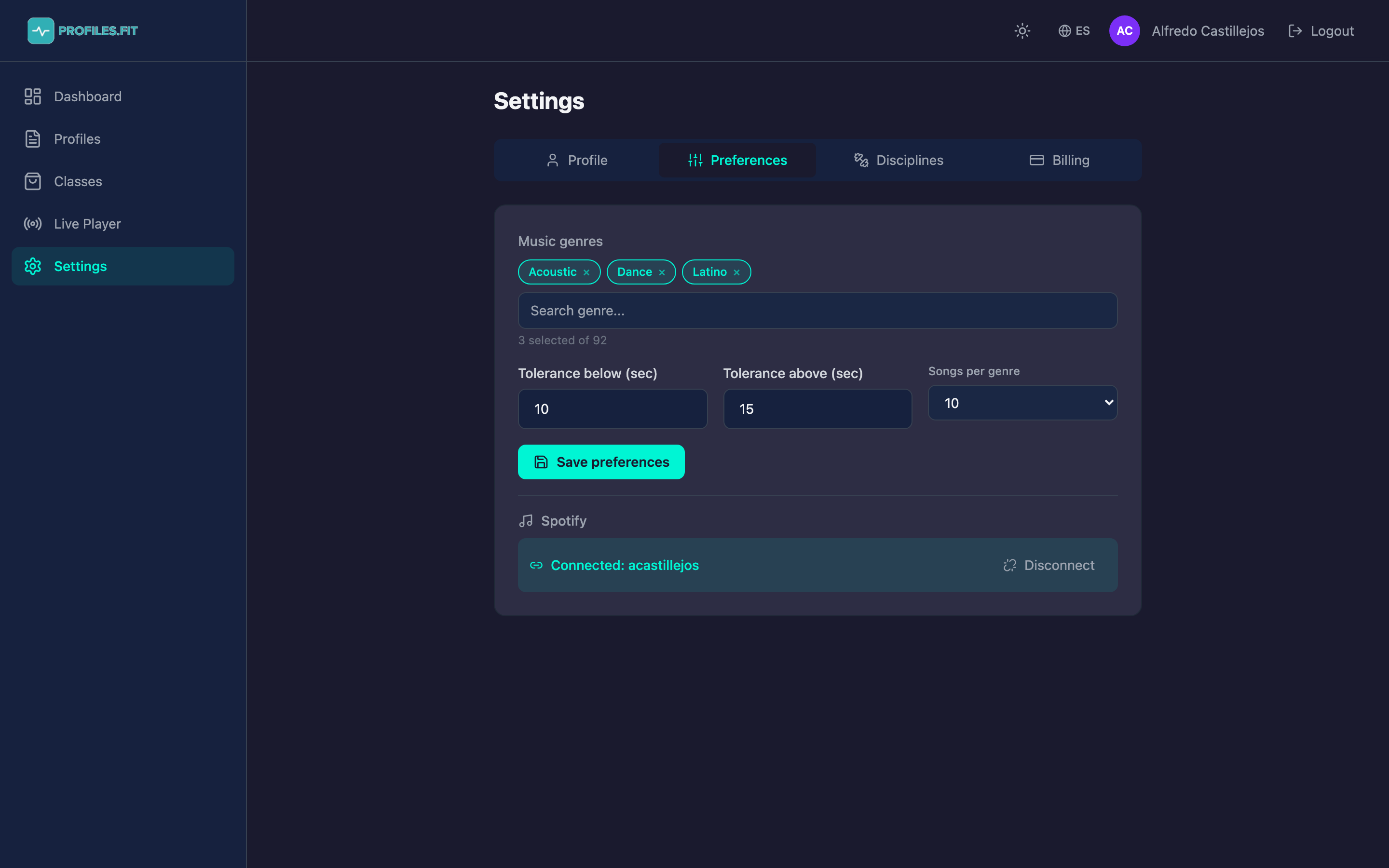
Connecting Spotify for the first time
- Go to Settings → Preferences.
- Scroll down to the Spotify section.
- Click Connect with Spotify. A pop-up will open with the official Spotify login.
- Sign in (or confirm if you're already logged into Spotify in the browser).
- Accept the permissions Profiles.fit asks for: streaming, library, playlists, email, and recent playback.
- The pop-up closes and you're back in the admin. You'll see Connected: your-username below.
Which permissions we ask for and why
- streaming: play music inside the Live Player without leaving Profiles.fit.
- user-read-email: identify your account and display the name above.
- playlist-modify-public / private: create the playlists Profiles.fit generates from your classes.
- user-read-currently-playing / playback-state: sync the Live Player graph with what you're actually hearing.
- user-library-read: access your liked songs to suggest music.
- user-read-recently-played: surface your recent plays as a quick track source.
Spotify Free vs Premium
Searching and building classes works with any Spotify account (including
free). But in-app playback (Web Playback SDK) and playback
control from the Live Player require a Premium account. If
you have a free account you can play the generated playlist from the
Spotify app on your phone or speaker.
Disconnecting Spotify
- In the same section, click Disconnect.
- The token stored in Profiles.fit is removed. Playlists already created stay in your Spotify.
- To reconnect, repeat the flow above. You may be asked to accept the permissions again.
Common issues
- "Not authorized": you probably blocked the pop-up. Allow pop-ups for
admin.profiles.fitand try again. - Playlist not created: make sure you accepted playlist-modify. If you declined, disconnect and reconnect.
- Not playing in Live Player: open Spotify on your computer or phone first (you need an active device).