Your personal profile lives in Settings → Profile. Here you control how you appear inside the admin and — most importantly — how buyers see you if you sell classes in the marketplace.
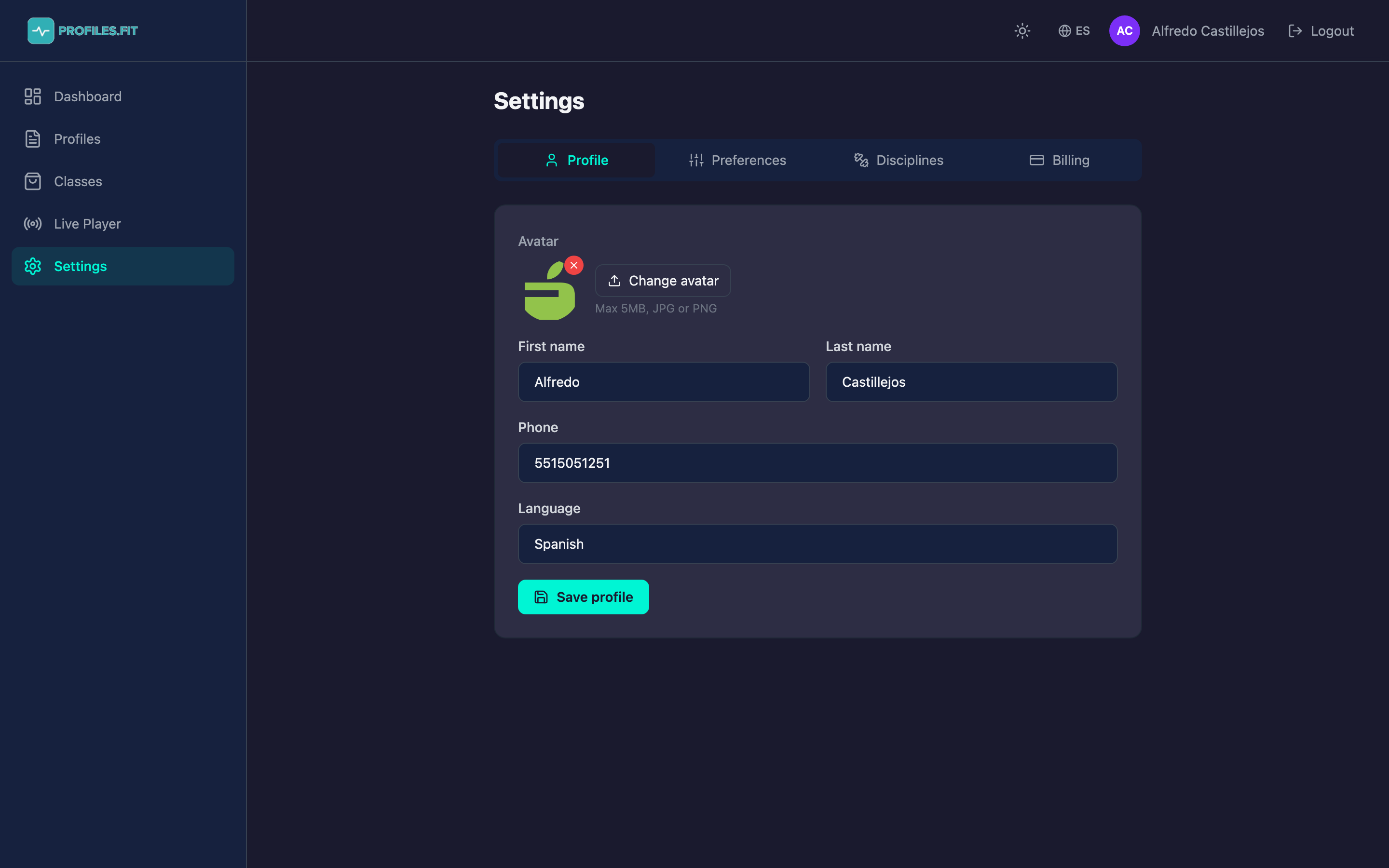
Editable fields
- Avatar: upload a square image (JPG or PNG, max 5 MB). It's the photo shown next to your name in the marketplace and in the admin header.
- First and last name: displayed in the dashboard greeting, the admin header and as "Created by" on your marketplace classes.
- Phone: optional, only used by us for support. Never shown publicly.
- Language: sets the default language for emails and for the admin on login (Spanish or English).
How to change your avatar
- Click the Change avatar button above the current image.
- Pick an image from your device.
- The upload goes straight to S3 via a presigned URL — it never hits an intermediate server.
- After the upload, click Save profile to apply the change.
Pick a photo that looks good at 40 pixels
Your avatar is displayed very small in the sidebar and marketplace cards.
If you use your logo, make sure it has strong contrast. If you use your
face, keep it centered.
Saving changes
Whenever you touch a field, click Save profile at the bottom. If you switch tabs without saving, your changes are lost and the admin shows a warning.