Profiles.fit can export any profile to a Spinning Profile-style PDF: a clean sheet with a visual summary of the class, the zone graph, the segment list, the tracks, and your brand logo in the header. Perfect for handing off to studios, prospective marketplace buyers, or printing your own physical material. Available only on the Advanced plan.
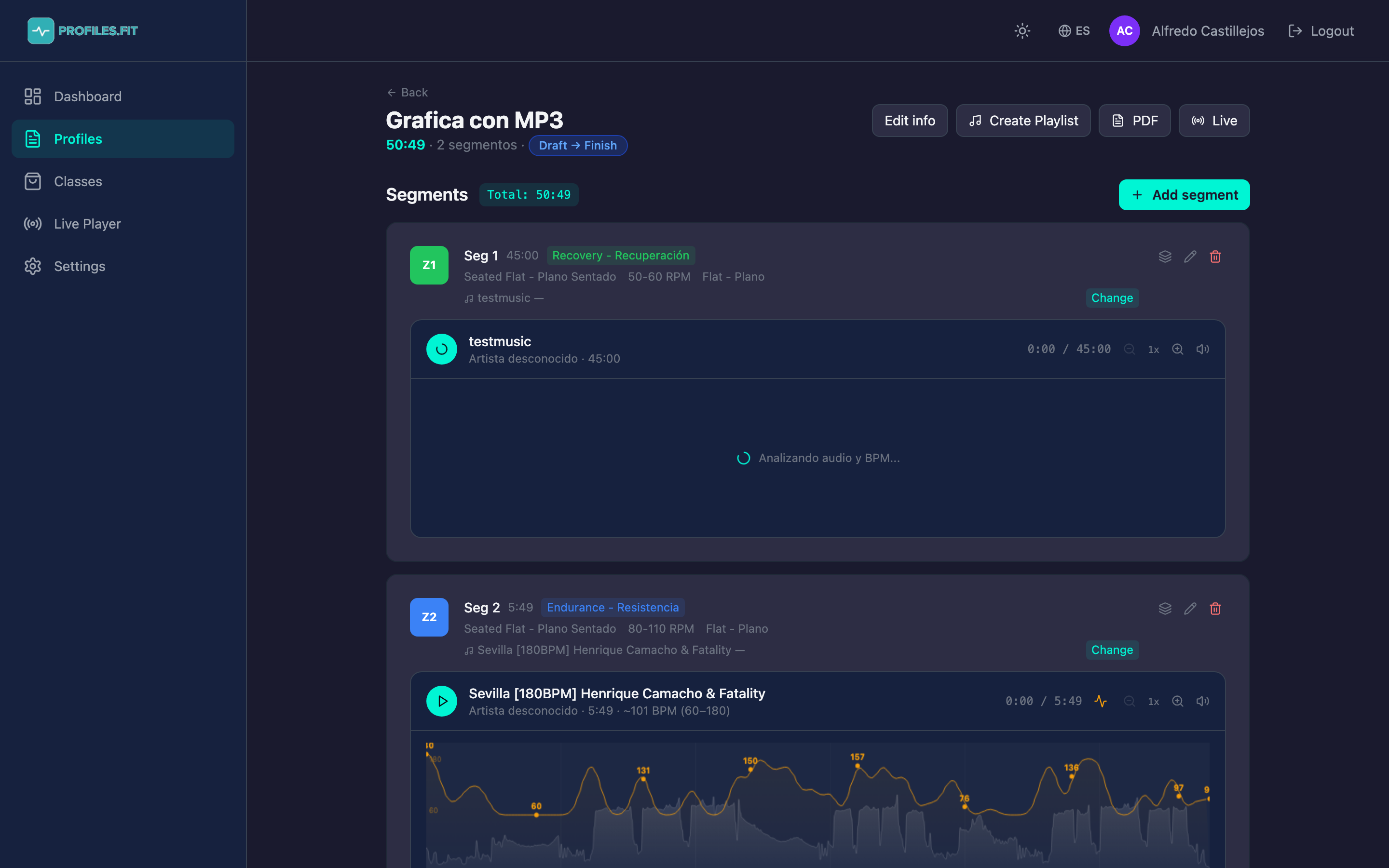
How to export a profile
- Open the profile you want to export from the Profiles list.
- At the top right, click the PDF button.
- The browser opens a new tab with the PDF generated on the fly.
- Use Ctrl/Cmd + S to save it, or Ctrl/Cmd + P to print.
What's in the PDF
- Header with your logo: the client logo configured on your account (if you don't have one, we'll reach out to upload it).
- Profile title large, with the discipline underneath.
- Metadata: total duration, dominant zone, created by (your name), date.
- Zone graph: horizontal bar with every segment colored Z1-Z5.
- Segment list: one row per segment with duration, movement, cadence, zone, coaching notes.
- Associated track for each segment: title and artist.
- Footer: "Generated in Profiles.fit" with date and time.
File format
- Size: A4 portrait (also works on Letter).
- Pages: 1 page for classes up to 50 min, 2 pages for longer classes with many segments.
- Fonts: embedded, they render identically in any PDF viewer.
- Weight: roughly 200-500 KB per PDF (depends on segment count).
Common use cases
- Hand it to a studio: many studios ask for the "profile" of your class before hiring you. The PDF covers that and more.
- Attach to a marketplace sale: you can deliver the PDF alongside the sold class so the buyer has the reference.
- Print a physical copy: if you don't 100% trust the Live Player screen, print the PDF and keep it as backup.
- Share with your team: if multiple instructors teach the same class, the PDF gives them a consistent reference.
The logo is configured once per account
The logo in the header is account-level, not profile-level. All your
profiles export with the same logo. If you rebrand, email us at
contact@profiles.fit with the
new logo (transparent PNG, 500px+ wide) and we'll replace it.
Current limitations
- The PDF does not include sub-segments. The list shows main segments only (coming in a future version).
- You can't customize the template yet (colors, typography). We use the standard Spinning profile style.
- Spotify playlists aren't embedded — only the title and artist for each track appear.
Preview the PDF on screen before printing
Especially the first time with a new profile. Make sure titles aren't
cut off, coaching notes fit, and the graph is legible. If something
looks off, edit the affected segments in the editor and re-export.